 What if your mobile phone replaces your wallet? Yes, it is possible with mobile money. Mobile wallet refers to payment services executed through a mobile device. That means instead of paying with cash, cheque, credit or debit cards, customers can make payment using their mobile phones. The range of products available can be vast.
Two pioneering technology giants Google Inc. and Apple Inc. came up with their versions of mobile money. Apple has Apple Pay. But you have to have an iPhone6 to reap the benefits of it. Google Wallet can be used by any Android smartphone which is NFC (near-field communication) enabled.
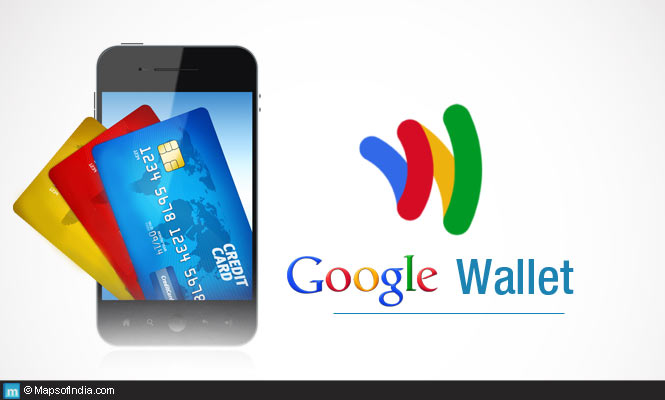
Google Wallet (a digital wallet) is a free app for Android devices. This safely stores your credit card, debit card, gift cards, offers and promotional discounts, etc. With the help of Google Wallet you can purchase goods from stores, buy online or transfer money. All you need to have is a Google Wallet account. You can also transfer money, save your promotional vouchers, offers and use it. Google introduced this way back in 2011. But the tap-to-pay facility was not available. Now they have decided to revamp the entire technology to facilitate smooth and esay utilisation of mobile money.
What if your mobile phone replaces your wallet? Yes, it is possible with mobile money. Mobile wallet refers to payment services executed through a mobile device. That means instead of paying with cash, cheque, credit or debit cards, customers can make payment using their mobile phones. The range of products available can be vast.
Two pioneering technology giants Google Inc. and Apple Inc. came up with their versions of mobile money. Apple has Apple Pay. But you have to have an iPhone6 to reap the benefits of it. Google Wallet can be used by any Android smartphone which is NFC (near-field communication) enabled.
Google Wallet (a digital wallet) is a free app for Android devices. This safely stores your credit card, debit card, gift cards, offers and promotional discounts, etc. With the help of Google Wallet you can purchase goods from stores, buy online or transfer money. All you need to have is a Google Wallet account. You can also transfer money, save your promotional vouchers, offers and use it. Google introduced this way back in 2011. But the tap-to-pay facility was not available. Now they have decided to revamp the entire technology to facilitate smooth and esay utilisation of mobile money.
Recent Developments of Google Wallet
- Google Wallet will soon be pre-installed in all the Android smartphones sold by AT&T Mobility, T-Mobile USA, and Version Wireless. Thus, striking a balance with Apple’s Apple Pay.
- By officially acquiring Softcard, a mobile payment service, Google will be soon helping users to avail the tap-to-pay technology benefits of Google Wallet – putting it on the same platform with Apple Pay. Earlier Google Wallet opted for PIN authentication system.
How it Works
- Google Wallet account is an alternative of your actual wallet.
- It is a repository of your money. So first you have to add money to your Google Wallet account by transferring funds from your Bank Account.
- The phone securely stores your card credentials and processes your payments.
- The Google Wallet app stores a virtual version of any MasterCard –debit or credit cards with MasterCard Contactless terminal.
- You can add multiple debit or credit cards for your payment options.
- You can access numerous Contactless Payment acceptance locations. It’s the smartest and probably the fastest way of payment.
- You can pay in-store or online with Google wallet.
How to Use a Google Wallet
- After all the purchased items get scanned, hold the back of your phone (there is no need to open app) against the contactless payment terminal.
- If asked for a PIN on the terminal or your device, enter your Google Wallet PIN.
- The terminal will beep to indicate that your payment has been processed.
How to Add a Bank Account or Credit/Debit Cards
- Open Google Wallet app, navigate to main menu and select Cards & Accounts
- Touch the +sign
- Enter the account numbers or card numbers of your respective bank accounts and touch Next.